Upload privately
Choose a JPEG, PNG, WebP, AVIF, or HEIC photo. Your source image is processed in this browser and is not uploaded to create the pattern.
Free · Private · Browser-based
Turn an image into a bead pattern. Crop or outline your subject, try real Perler, Hama, MARD, Artkal, or Nabbi colors, and export a complete PNG or try PDF printing (Beta)—all in one free workspace.
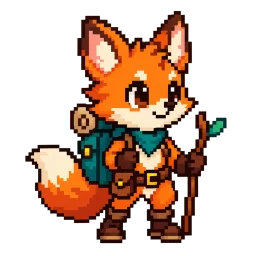
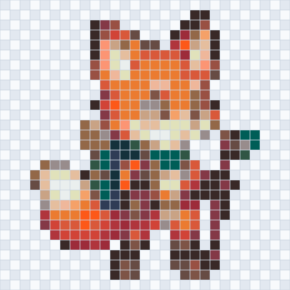
Start with our fox, or choose your own image.
What felt confusing or missing? Source images and patterns are never attached.
Made for patterns you can actually build
Choose a JPEG, PNG, WebP, AVIF, or HEIC photo. Your source image is processed in this browser and is not uploaded to create the pattern.
Select any part of the image, set one pattern width, and preview it against Perler, Hama, MARD, Artkal, or Nabbi color references.
Limit the palette, merge rare shades, clean isolated cells, and correct individual beads with simple editing tools.
Download one free PNG with the complete bead grid, color legend, and quantities. Choose whether to include official color codes.
More useful than a pixel filter
A normal image-to-pixel-art converter only reduces resolution. ImageToBeads also maps every visible cell to a bead palette, counts the materials, preserves your work after a refresh, and gives you tools to reduce unnecessary complexity before you start placing beads.
Switch between supported bead brands and use the exported color codes when preparing materials. Screen previews are approximate, so physical batches may still vary.
Adjust, paint, and export around the same canvas. Confirm your image to keep one recoverable draft on this device, without an account.
Grid lines, official cell codes where available, bead counts, rare-color merging, isolated-cell cleanup, undo, and manual corrections help turn an attractive image into something you can actually build.
Yes. Image conversion, pattern editing, local draft recovery, and complete PNG export are free and do not require an account.
Yes. Upload a photo or illustration, choose the pattern width and maximum number of colors, then generate a grid matched to a supported bead palette.
After you confirm your image and generate a pattern, this browser automatically saves one current draft. Unconfirmed image changes and undo history do not survive a refresh. Private browsing, browser cleanup, or storage limits can still remove the draft.
Start with a smaller width or lower color limit. After generation, merge rare colors and clean isolated single cells, then use undo and manual editing to review the result.
No screen preview can guarantee a physical match across displays, lighting, and manufacturing batches. Use the listed brand color codes when preparing or buying materials.
The complete PNG always includes the full pattern, color swatches, and quantities. Show color codes adds official codes to the materials list and available official short codes to cells; long SKUs appear only in the list. Grid lines and color codes are optional for each export.